




















Tips for Safe and Successful SSD Data Recovery
Lost important data on your SSD? Discover expert tips for safe and successful SSD data recovery. Learn what to do (and what to avoid) to protect your files and maximize recovery chances.

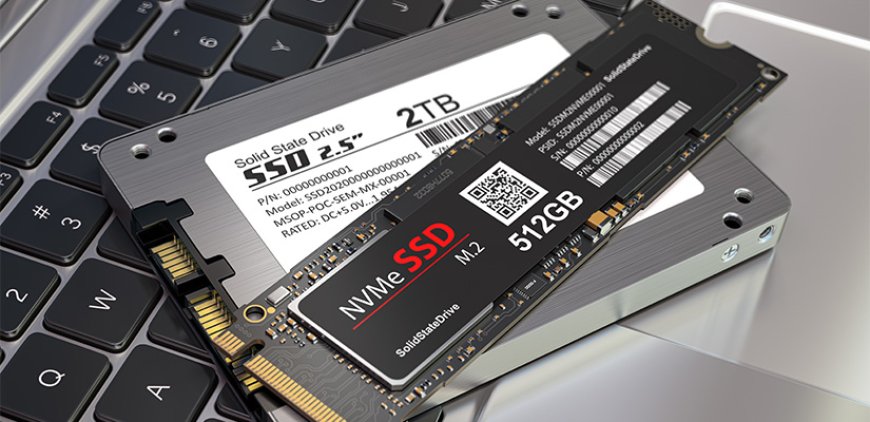
Solid-State Drives (SSDs) are known for their speed, durability, and reliabilitybut even the best technology isnt immune to failure. Whether its due to accidental deletion, file corruption, hardware issues, or software errors, losing data from an SSD can be both frustrating and stressful.
The good news? With the right approach, theres a strong chance your data can be recovered. Below are key tips to help you safely navigate SSD data recovery and avoid making mistakes that could make things worse.
Stop Using the SSD Right Away
As soon as you notice missing data or unusual SSD behavior, stop all activity on the drive. Using the SSD further may overwrite the lost files, reducing the chances of recovery. Dont install new apps, transfer files, or run any utilities.
Instead, disconnect the SSD or shut down your device and seek expert help as soon as possible.
Choose a Specialist with SSD Recovery Experience
SSD data recovery requires advanced tools and deep technical knowledge. Unlike traditional hard drives, SSDs operate on flash memory and use features like TRIM that make recovery more complex.
Always look for a data recovery provider that:
-
Specializes in SSDs
-
Uses cleanroom environments for physical recovery
-
Has a solid reputation and transparent recovery process
A qualified service increases your chances of retrieving important data safely.
Avoid DIY Recovery Software or Tools
Many people try free or cheap recovery tools they find online. Unfortunately, these often do more harm than goodespecially with SSDs. Attempting DIY fixes without the right tools or knowledge can lead to permanent data loss.
Unless you are experienced in data recovery, its safer to leave the SSD untouched and let professionals handle it.
Dont Use OS Repair Utilities Like CHKDSK or Disk Utility
Operating systems come with built-in tools that claim to fix disk issues. While they may help in some cases, using them on a malfunctioning SSD can overwrite important file structures and make data unrecoverable.
Avoid these tools and consult an expert before running any repairs.
Keep the Drives State Intact
Once youve experienced data loss, avoid reformatting, repartitioning, or attempting to clone the drive. These actions can erase critical information that professionals need to recover your data.
The best move is to preserve the SSD in its current state and seek expert assistance.
Back Up Regularly to Prevent Future Data Loss
No matter how careful you are, storage devices can fail unexpectedly. Regular backups are your best defense against data loss. Use cloud services or external drives to keep copies of your most important files.
Set up automated backups so youre always protected without having to think about it.
Handle Your SSD with Care
Physical factors like heat, humidity, and shocks can shorten an SSDs life. Keep your devices in a cool, dry, and static-free environment. When moving or storing your SSD, use anti-static bags and protective casing.
Update Firmware and System Software
Manufacturers regularly release firmware updates that fix bugs and enhance SSD stability. Keeping both your SSD firmware and operating system up to date helps reduce the risk of avoidable failures and improves overall performance.
Seek Professional Help for Hardware Issues
If your SSD is not detected, makes odd noises, or shows clear signs of failure, dont try to open or fix it yourself. Physical SSD recovery is delicate and should only be performed in a controlled lab environment by trained professionals.
These experts use specialized equipment to access data directly from memory chips, increasing your chances of recovery.
Final Thoughts
Losing data from an SSD can feel overwhelmingbut if you act quickly and avoid risky mistakes, theres often a way to get it back. Remember: dont panic, stop using the drive, and turn to experienced professionals who understand SSD recovery.
And most importantly, stay proactive. Regular backups, proper handling, and updated software are your best allies in preventing future data loss.